New to AI?A plain-English glossary for the terms used on this page.Open ↓Close ↑
- Prompt
- What you type into the chat. The instruction the model is responding to.
- Model / LLM
- The AI itself. Claude, GPT, Gemini are models. Different models have different strengths.
- Context
- Everything the model can see right now: your message, the conversation so far, any files attached.
- Agent
- An AI that can do things, not just answer. Reads files, runs commands, makes changes.
- Terminal / CLI
- The text window where you type commands to your computer. Where coding agents live.
- Repo
- Short for repository. A folder of code or notes, usually tracked by git so changes are saved as history.
- API
- A way for one program to call another. The Anthropic API lets your own code talk to Claude.
- Skill
- A small markdown file that teaches the model how to do a specific thing. Installs behaviour, not knowledge.
- Memory
- Files the model reads at the start of every session so you don't have to re-explain yourself.
- Vibe coding
- Describing software in plain English and getting a working app back. No code editing required.
- Webhook
- A URL another service hits when something happens. The wiring that lets systems trigger each other.
- Markdown
- A plain-text format with light formatting (# for headings, * for italics). What most AI files are written in.
Knowing the next step in your AI journey is hard when you don't know what's possible.
Most people stop at ChatGPT and assume that's the ceiling. It isn't. There are seven steps above it, and the gap between step one and step eight is the difference between using AI and developing with it.
I built this because smart people kept asking me how I use AI and what was actually possible with it. Every conversation hit the same wall: I couldn't tell where they were on their AI journey, and they couldn't picture what one step up looked like. This is the map.
Tell us who you are, what your knowledge is of AI, and the problems you bump into in your day to day work.
00.5/08
Planning.
Before you touch anything, decide what you're actually building, which tool fits the job, and what the quickest way to get it working is.
The most expensive mistake I make isn't a bad prompt. It's picking the wrong tool and pushing on it for an hour. So before I do anything, I stop and ask two questions. First: how does this actually need to be built, and what's the best tool for the job? If I'm thinking, drafting, or want a quick one-off, the Claude app is enough. If it needs to live in real files, touch a codebase, or keep growing, it belongs in Claude Code in the terminal. ChatGPT is great for images, voice, and the everyday stuff it's already wired into. DeepSeek is cheap and strong at reasoning, but check where your data goes before you paste anything sensitive into it. Second: what's the quickest, easiest way to build all of this out? Does a tool already do it? What's the smallest version that proves it works? Does it need to exist tomorrow, or forever? Five minutes here saves an afternoon later. And if you don't know the answer, ask the AI to plan it with you before it builds anything.
You know what you're building and where. Now, how do you ask for it?
01/08
Prompting.
Typing a question into a chat window (Claude, ChatGPT) and reading the answer. Pure conversation, no code.
I started here. Everyone does. You open a chat window, ask for things, and a paragraph comes back. The model does the work; you're just steering. People dismiss this step as "just chatting." But a sharp prompt is a huge unlock, and writing one well is still one of the highest-leverage things you can do. I still spend hours here every week, crafting the right prompt.
What if the answer couldn't fit in a paragraph, but in a working website?
02/08
Vibe coding.
Describing an app in plain English and getting a working website back. Tools like Lovable do the building for you.
The first time I tried Lovable, nothing worked. I wasn't sold. But that was because I'd failed at step one: I hadn't written a good prompt. Three months later I tried again with a sharper one, and a real working web app came out the other end. A real URL, a real database, a real thing on the internet, and I never opened a terminal. The part of my brain that used to say "I'd need a developer for that" went quiet. v0 and Bolt do the same. The gap between step one and step two is enormous; the gap from here to a side project is small.

But what if you want to customise it further, and vibe coding can't quite get you there?
03/08
Coding agents.
An AI that lives in your terminal, reads your real codebase, and edits files for you. You direct, the agent types.
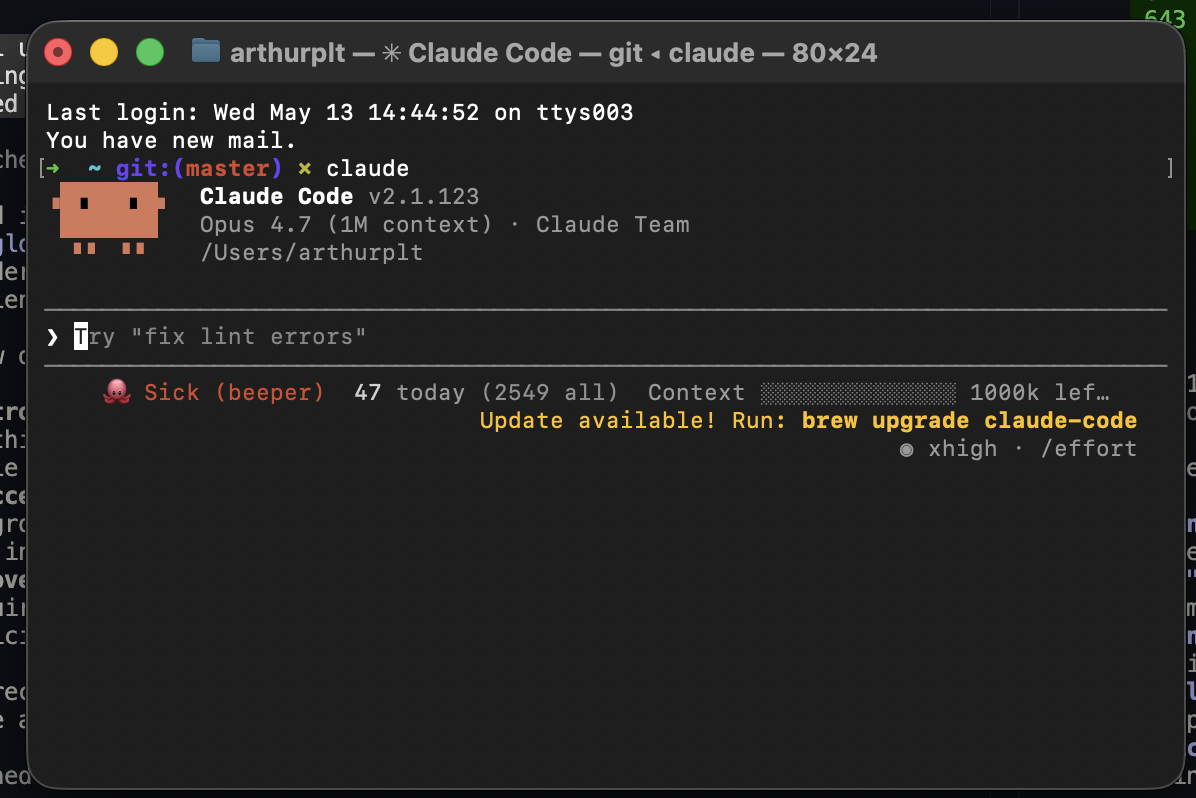
This is where I got nervous. Claude Code, Codex, Gemini. Agents that live in your terminal or your IDE. It feels like coding, but it isn't: you describe what you want, the agent works inside a repo (think of a repo as a folder for all the code in one project), edits real files, runs the tests, and fixes what broke. The trap with Lovable and Bolt is they're great at the start but harder to push as you add features. Coding agents flip that. You own the code underneath, so anything you can describe, the agent can attempt, and the thing you build can keep growing with you.
What if you didn't have to re-explain every time?
04
Skills.
Small markdown files you drop in a folder to teach the model how to behave. Once installed, they apply in every future chat.
"A prompt is something you write once. A skill is something the model does forever."
The first folder of skills I dropped into `~/.claude/skills` changed the way I work. A skill is a small markdown file that tells the agent how to do a specific thing. Drop a folder of them in, and the agent stops being a generic chatbot and starts having opinions. A debugging skill that refuses to propose a fix until I've run the failing test. A brainstorming skill that won't let me charge into code without a design. A TDD skill that writes the test first, every time. I didn't change the model. I changed what it does, and unlike a prompt, the change persists into every future conversation, including the ones I haven't had yet.
But what happens when your session fills up before the skill has done its work?
04.5/08
Session limits.
What to do when a chat runs out of room: compact, split, swap models, and push the recurring context into files so the next session starts lighter.
Every long session eventually hits a wall. The context window fills up, the model starts forgetting decisions you made an hour ago, replies get vaguer, and you feel the cost climb. Most people respond by starting over and re-explaining everything; the better move is to make each token earn its keep. The tricks are unglamorous and they compound. `/compact` collapses the chat into a summary and frees room to keep going. Start a fresh session for each new task instead of letting one chat carry every topic of the week. Drop a smaller model (Haiku) on grunt work, renames, and sweeps. Use subagents for big searches so the results don't pollute your main thread. And anything you find yourself re-explaining belongs in a `CLAUDE.md` or `/memory` file, not pasted at the top of every chat. This rung is the bridge to Memory. Tactics buy you a few more turns. Memory removes the need to spend them at all.
What if you didn't have to re-explain who you are at the start of every session in the first place?
05/08
Memory.
Files the model reads at the start of every session so you don't keep re-explaining who you are or what you've already decided.
This was the step that turned me. I stopped briefing the model at the start of every chat and started letting it read about me instead. A CLAUDE.md at the root of every project. A /memory folder for facts the next session shouldn't have to re-derive. The Anthropic memory tool (file-based, persistent) for production agents that need to carry context between API calls. Each conversation now begins where the last one ended; the model walks in already knowing my stack, my stakeholders, the things I've already said no to. This is also where the compounding starts. The faster I write into memory, the less I re-explain, and the less I re-explain, the more time I have to write into memory. I'll be honest: before this step, I was an AI sceptic. This is the step where I first felt the change.
What if the whole substrate was written for the model on purpose?
06/08
Repo structure.
Treating your project folder as a home for the model: skills, memory, prompts and docs all in folders the agent can walk.
At some point my repo stopped being a codebase and started being a working substrate. Every folder is for the model as much as for me: /memory for facts, /personas for stakeholder simulation, /.claude/skills for behaviour, /prompts for reusable system prompts, /docs for specs. The agent doesn't visit my repo. It lives in it. Anything I can think of as a folder, the model can walk. Skills are the behaviour I install. Memory is the knowledge I install. The repo is the home I give both of them, and the place where they start compounding into something more than the sum of their parts.
§ The long-formRead the essay: Context Is the Compound Interest of AIexpand ↓
Context Is the Compound Interest of AI
By Cara Davies
At the start of this year, we made a decision at Slice that sounded reasonable in a meeting and terrifying in practice. We were going to rebuild our entire product for enterprise.
Slice Pay had a working prototype, but over the past couple of years we'd accumulated a lot of knowledge that never made it into the product. How we price customer accounts. How risk tiers affect commission eligibility. How refund flows interact with merchant settlement cycles. All the business logic we'd learned from running the prototype but hadn't formalised. Enterprise clients, airlines specifically, would need all of it. We couldn't bolt it onto what we had. We needed to start fresh and build it right.
The scope was enormous. Map every workflow end to end. Document every business rule, every data entity, every API endpoint. Design the dashboards. Build the specs that production code would be written against.
Two people. Me and one engineer. And for the first month, just me. Caio, my principal engineer, was on paternity leave. So it was one PM with Claude and a blank Notion page.
We didn't have the luxury of a big team or a long timeline. Slice Pay sits inside a larger organisation where Pay Later Travel is the more established, more profitable product. We couldn't justify pulling the whole company onto our rebuild. So we decided to build it AI-native from the start. Not because it was trendy. Because we didn't have another option that would move fast enough.
I want to be honest about what that actually looked like in practice, because it wasn't a clean story of picking up a tool and becoming ten times faster overnight. It was slow, then less slow, then suddenly fast. The compounding is what matters.
Starting with nothing
In January, I was writing documentation in Notion with Claude open on my desktop. The process was roughly: think through a workflow, write it up, ask Claude to help me refine it, paste things back and forth. It sounds workable. It wasn't.
I'd get halfway through mapping a complex workflow and Claude would compress the conversation. The Notion content was eating up the context window. I'd lose the thread, start a new conversation, and spend twenty minutes re-explaining everything. What Slice Pay is. How merchants work. That we're lay-by, not credit. That last one I must have explained fifty times.
The first workflow I completed, merchant onboarding, took nearly a week. And not because the thinking was hard. The thinking was the valuable part. But the formatting, the back and forth between tools, the constant re-explaining of context that should have been obvious, all of that was eating my time.
The move that changed everything
Around mid-February, I made what felt like a small decision. I moved everything out of Notion and into a git repository. Markdown files instead of rich text pages. The logic was simple: markdown is readable by humans and by AI. It works for me and Caio, and it works for Claude.
But the real unlock wasn't the file format. It was that a repository is a persistent brain.
Instead of re-explaining "we're lay-by, not credit" in every conversation, that distinction lived in a file. Claude could find it. Instead of pasting context about how settlements work, the settlement workflow was already there for it to read. Every document I wrote made the next conversation smarter, because the AI had more to work with.
This is the thing I keep coming back to: AI is genuinely very smart. But without context, it makes confident assumptions that are wrong for your specific system. It doesn't know your edge cases. It doesn't know that your payment plans have a minimum of 28 days, or that commission eligibility depends on the merchant's risk tier. Once those things are documented and accessible, the AI stops guessing and starts reasoning from evidence.
Compounding through friction
Here's where the compounding really kicked in. Each time I hit a point where something was slow and repeatable, I turned it into a skill. A skill in Claude Code is basically a saved workflow, a set of instructions the AI can follow without me explaining them every time.
My first skill was a publish-to-Notion workflow. I was spending so much time copying markdown into Notion that I automated it. Then I realised I didn't even need Notion anymore. The repo was the source of truth. So I dropped it.
I was also flipping between Claude on desktop and my code editor constantly, which led me to move to Claude in the terminal. One less window. One less context switch. Faster.
Each of these felt like a small optimisation. But they stacked. Over 39 days, I built 30 custom skills covering the entire documentation pipeline:
- Research skills that interview me, search existing docs, and run sub-agents for external research, all before I write a single line
- Authoring skills that scaffold new workflows from templates
- Review skills that apply multiple stakeholder perspectives to a draft
- Sync skills that import meeting notes directly into the repo
- Validation skills that check for broken references before anything gets published
My tolerance for slowness kept dropping. Early on, spending an hour formatting a document felt normal. A few weeks in, that same hour felt unbearable because I knew it could take ten minutes. So I'd build another skill. Then the next threshold would drop. It became this cycle where the faster I got, the less patience I had for anything manual, which made me faster again.
And after each piece of work, I'd ask: how could we have done that better? The answer always went back into the system. A better template. A smarter skill. A new validation check. Each execution wasn't just output. It was an investment in the next one.
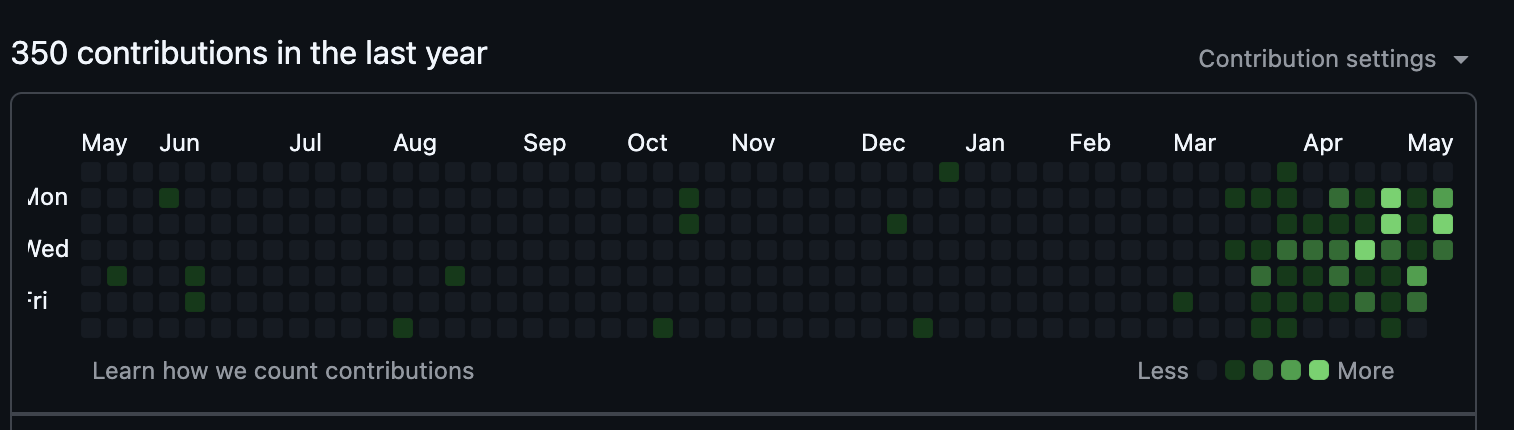
The velocity numbers across the whole ecosystem tell the story. The docs repo alone had 207 commits in 39 days. But the docs hub also drove work across five companion repositories: three mock dashboards, an e-ticket reconciliation agent, and a customer support agent. Across all of them, over 750 commits. On my first day, 9 commits. By early March, I was hitting 33 in a single day. Not because I was typing faster. Because the system was doing more of the mechanical work, and I was spending my time on the part that actually matters: thinking through the product.
The persona trick
Somewhere around the first week of March, I started creating personas for the people in our team meetings. Finance, compliance, operations, merchant success. Each persona captures how that person thinks, what they typically push back on, what concerns they raise.
Before I bring a workflow to a real consultation, Claude reviews it through each of those lenses. It flags the gaps, raises the objections, and challenges the assumptions. The result has been kind of wild. In my more recent stakeholder consultations, the response has been essentially no comments. Not because people aren't paying attention, but because the document already addressed their questions before they asked them.
I didn't plan this. I just noticed I was getting the same kinds of feedback in meetings, and I thought, "Why don't I get the AI to simulate that feedback first?" It's the same pattern as everything else. I saw friction. I built a skill. The system got smarter.
Learning from a developer
When Caio came back from paternity leave, the compounding accelerated again in a way I hadn't predicted. I'd built this whole system solo, but watching how a developer used AI day to day taught me things I wouldn't have figured out on my own. The review skill I use now? That came from him. The pattern of writing open specs that an AI agent can execute against? Also him.
That cross-pollination had a concrete payoff. When I built the customer support agent, it took me half a day. End to end. Research, implementation, deployment. This is the same person who, weeks earlier, was spending a day or two just on front-end designs for mock dashboards. The support agent was objectively more complex, and it took a fraction of the time. That's not just the tooling getting better. That's the compounding of everything: the context in the repo, the skills I'd built, the patterns I'd absorbed from working alongside Caio.
What 39 days produced
The numbers still surprise me a bit. 207 commits. 513 markdown files. 16 end-to-end workflows mapping the complete payment lifecycle. 108 documented business rules. 26 data entities. 8 event storming sessions. Three companion mock dashboards. Two working proof of concepts, an e-ticket reconciliation agent and a customer support agent.
Plus an MkDocs site with automated validation that checks index coverage, broken links, and navigation consistency before anything deploys.
This isn't a documentation project anymore. It's the brain of the product. When we needed to evaluate SOC 2 vendors last week, the context was already there. When I put together our Q2 strategy presentation, I pulled directly from the docs. The system that started as "let me just write down how merchant onboarding works" is now feeding executive decisions.
The actual lesson
I think there's a common misconception that using AI for work means you sit down, type a prompt, and something useful comes out. That's the demo version. The real version is that the AI gets useful when it has enough context to stop guessing. And building that context is work. Slow, unglamorous, compounding work.
The first workflow took a week. The twentieth took a few hours. Not because I got better at prompting, but because the system underneath had accumulated enough knowledge to carry most of the load.
What excites me now is that the infrastructure phase is done. All the workflows are mapped. The business rules are documented. The specs exist. The next phase is seeing how well we can actually execute on building production code against all of this. The context layer that took 39 days to build is about to become the foundation for the real thing.
I've since applied this same pattern to every project I work on. My personal site, my side projects, even early-stage ideas. Each one gets a repository. Each repository becomes a brain. Markdown files for the AI, skills for the repetitive parts, meeting notes for the context. It's not complicated. It's just consistent.
If you're a PM or founder sitting on a complex product thinking "I don't have the team to document this properly," I'd push back on that framing. You don't need the team. You need the system. Start with one workflow. Write it badly. Let the AI help you make it better. Then notice what's slow, and fix that. Then notice the next thing, and fix that too.
It compounds. That's the whole point.
But there's one file at the root the agent reads before everything else. Do you know what it is?
06.5/08
CLAUDE.md.
The single file at the root of a project that Claude Code reads at the start of every session. Write it once, the model walks in already knowing the basics.
If the repo is the home, CLAUDE.md is the note pinned to the front door. It's the one file Claude Code reads at the start of every session, and it sets the tone for everything else. Mine tells the agent who I am, what we're building, and the handful of standing rules I keep breaking. The first version takes ten minutes and is fifteen lines. The hundredth version is what makes the model feel like it actually knows me.
§ SampleSee a good starter CLAUDE.mdexpand ↓
CLAUDE.md
A note for you, Claude, at the start of every session in this repo.
Who I am
I'm Sam, a product manager at a B2B logistics startup. I work in 90-minute blocks and lose patience with vague answers. Default to direct, terse, founder-level prose. No corporate language. Lead with the point, not the context.
What we're building
A pricing dashboard for the internal ops team. Next.js + Tailwind + Supabase. Production lives at pricing.acme.com, staging at staging.pricing.acme.com.
Standing rules
- Never push directly to main. Always open a PR.
- Tests live next to the file they test (`*.test.ts`).
- Bump the migration version on any schema change.
- Don't add a dependency to solve a problem one helper function could solve.
Where else to look
- /memory — facts about the team, customers, decisions we've made
- /docs/specs — feature specs (treat as ground truth)
- /.claude/skills — the workflows I've already taught you
What if the model didn't live in a chat window at all?
07/08
APIs.
Calling the model directly from your own code, so Claude becomes a feature inside your app instead of a tab you visit.
You call the model directly from your own code. A function in your codebase, fired from a webhook, a cron, a click. Now the model is not a place you visit; it is a primitive in your stack, next to Postgres and Stripe. You can put intelligence into anything that has a key and a network connection.
What if it didn't just answer, but acted?
08/08
Integrated systems.
Agents that don't just answer, they act. Reading email, sending messages, updating your CRM on your behalf.
Agents that read, write, and act across your real tools: Gmail, Calendar, Slack, your database, your CRM. The model crosses out of the chat window and into the system of record. You are no longer asking it to draft an email; you are asking it to send the email, file the reply, update the deal, and move on. This step is where most companies say "we have AI" and finally mean something concrete.
This is just my take, today.
If you disagree, or think a step is missing, tell me on LinkedIn. I'll update this page as I hear what people say and as I learn more.